Microsoft Office Complete Course - Beginner, Intermediate & Advanced- CPD Certified

Grab the Deal
Was £19.00 Now £10.00
About the course
Learn the most important shortcuts and time saving tools in Excel, Word, Access and PowerPoint. Enrol TODAY and COMPETE your Colleagues!
Millions of people worldwide have been using the Microsoft Office. You can drastically improve your productivity by unlocking its full potential. This Microsoft office course is the right place for you if you want to explore in the realm of Microsoft Office, and you’ll know all that because you’re on this page.
Wondering whether we’re the right team to teach you Office? We guarantee you that this 4-in-1 Microsoft bundle package will provide you everything from the scratch.
Learn basic to advanced Microsoft Office skills in this 4 in 1 course bundle.
- Course 1: Microsoft Word
- Course 2: Microsoft Excel
- Course 3: Microsoft PowerPoint
- Course 4: Microsoft Access
Key Features of Microsoft Courses
- Free PDF Certificates
- Lifetime Access
- 24/7 Tutor Support
- Updated in 2022
Microsoft Office
Learning about Microsoft Office or keeping up to date on it!
The course materials of this Microsoft Office bundle are prepared with consultation from Microsoft Office experts and all the information on Microsoft Office is kept up to date on a regular basis so that learners don’t get left behind on the current trends/updates on Microsoft Office.
Microsoft Office Excel – Curriculum
- Chapter 01: Excel Interface
- Chapter 02: Basic Functions
- Chapter 03: Working with worksheet
- Chapter 04: Work with data and Excel tables
- Chapter 05: Basic Calculations
- Chapter 06: Shortcuts in Excel
Microsoft Office Word – Curriculum
- Module 01 – Introduction to Microsoft Word?
- Module 02 – Formatting text of a Modern Document
- Module 03 – Enhancing a document’s contents
- Module 04 – Basic Graphics tools
- Module 05 – Presenting a Document
- Module 06 – Reviewing and Finalizing Documents
Microsoft Office PowerPoint – Curriculum
- Module 1 – Introduction to Microsoft PowerPoint
- Module 2 – Setting up and Managing presentations
- Module 3 – Creating and Designing slides
- Module 4 – Animations and Effects
- Module 5 – Using tables, charts and SmartArt
- Module 6 – Finalizing Presentations
Microsoft Office Access – Curriculum
- Module 1 – Setting up Microsoft Access
- Module 2 – Relationships and Keys of a Database
- Module 3 – Navigation of a Database
- Module 4 – Manage Database Data
- Module 5 – Create and Manage Tables
- Module 6 – Queries
Anyone
You can access this Microsoft Office courses from:
- Personal Computer
- Smart Phone
- Tab
Compete High offers the most convenient path to gain knowledge of Keyword which will give you the opportunity to put into practice your skill in a corporate environment.
Good to know
Questions, answered
The course content is regularly updated to ensure relevance and accuracy. Updates occur periodically to incorporate new information, developments, or improvements in the subject matter.
Every course is provided by an accredited training provider. The accreditation for each course is listed on its course page.
Once your order goes through, the course provider is told straight away and emails you your access details, so you can start learning.
Yes. When you pass the final assessment you can download a PDF certificate; printed copies are available too.
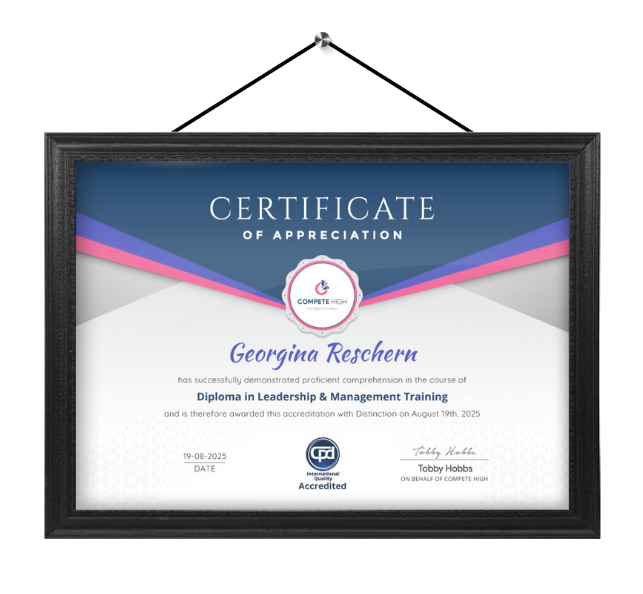
Certificate for Success at Every Step
- No expiry date. You can keep and use the certificate forever.
- Recognised across various UK industries.
- Increases your chances of employability.
- Boosts your professional credibility.
- Shows you're up to date with industry knowledge.